Redtree IT

CyberCriminals

Uncategorised

Protect your business from a data leak with Microsoft Edge

July 8th 2024 By Matthew Phillips Protect your business from a data leak with Microsoft Edge Microsoft Edge for Business has just rolled out new data leak control capabilities. And that could be a good thing for keeping your sensitive info safe. What are data leak control capabilities? In plain English, they help prevent your sensitive information from getting out to the wrong people. Think of it as having an extra lock on your digital doors, making sure only the right people can access your important data. Every business handles sensitive information, whether it’s financial records, client details, or proprietary data. If this information leaks, it could mean big trouble: Financial loss, legal headaches, and a hit to your reputation. This new feature in Microsoft Edge helps keep your data secure by making sure only authorised people can access it. It also stops accidental sharing. Depending on your industry, you may have strict rules about data protection. These new controls can help you stay on the right side of regulations. And let’s not forget your customers. They’re more aware than ever about data privacy. Using a browser with strong data leak controls shows you’re serious about protecting their information, which can boost their trust in your business. Microsoft Edge for Business has added this new feature into an easy-to-use package. You can set policies on how data can be shared – like stopping certain types of data from being copied or emailed to unauthorised recipients. This way, you’re less likely to have accidental leaks. It uses artificial intelligence to spot potential threats and unusual data movements. Edge can alert you to a potential leak before it happens, giving you a chance to act proactively. If you’re already using other Microsoft products like 365 or Microsoft Teams, good news: Edge for Business integrates smoothly with them, letting you apply consistent data protection across all your tools. https://player.vimeo.com/video/968751242 Ready to give it a spin? Here’s what to do: Update your browser: Make sure all your business’s devices are using the latest version of Microsoft Edge for Business. This makes sure you have all the newest features and security updates. Set your policies: Work with your IT support partner to set up data sharing policies that make sense for your business. Microsoft provides guidelines and templates to help you get started. Train your team: Make sure your employees know about the importance of data security and how to use the new features. A quick training session can do the trick. Monitor and adjust: Keep an eye on how things are working and tweak your policies as needed. You want to find a balance that keeps your data secure without disrupting your workflow.   Better still, why not get our team to just do this for you. Get in touch. Published with permission from Your Tech Updates.

Uncategorised

Ransomware threats are surging – here’s how to protect your business

July 1st 2024 By Matthew Phillips Ransomware threats are surging – here’s how to protect your business Imagine waking up one morning, turning on your computer, and finding that all your important files – everything from customer data to financial records – are locked. Tight. And then a scary message pops up demanding a ransom fee to unlock them. That’s ransomware in a nutshell. It’s a type of malicious software that hijacks your data and holds it for ransom. It usually starts with an innocent-looking email or link. You might get an email that seems legitimate, asking you to click on a link or open an attachment. This is known as a phishing email, where the sender appears to be genuine but isn’t. Once you click, malicious software is silently installed on your system. From there, the cyber criminals quickly go to work. They’ll be encrypting your files so you can’t access them. Then, you get that dreaded ransom note, demanding payment in exchange for a decryption key to unlock your files. Paying the ransom is a risky move because there’s no guarantee you’ll get your data back, and it just encourages the attackers to target more victims. https://player.vimeo.com/video/963146209 2023 was a particularly bad year for ransomware, with attacks surging after a two-year decline. According to a report, there was a huge increase in ransomware incidents, breaking a six-year record. One reason for this spike is the rise of something called Ransomware-as-a-Service (RaaS). This model lets cyber criminals “rent” ransomware tools, making it easier than ever for them to launch attacks. As a result, more businesses are finding themselves posted on data leak sites, with a 75% increase in the number of victims between 2022 and 2023. Ouch. And it gets worse. Attackers are getting smarter. They’re developing new variants of old ransomware, sharing resources, and using legitimate tools for malicious purposes. They’re also working faster, often deploying ransomware within 48 hours of gaining access to a network. And they tend to strike outside of work hours, such as when you’re tucked up in your bed, so they’re less likely to be noticed. If your business falls victim to a ransomware attack, the consequences can be devastating. You might face significant financial losses, not just from the ransom itself but also from the cost of downtime and recovery. There’s also the risk of losing critical data if you can’t decrypt your files. Your reputation could take a hit if customers find out their information was compromised. Oh, and your business operations could be severely disrupted, affecting your ability to serve your clients. The most important question then: How can you protect your business from this growing threat? Start by educating your team. Make sure everyone knows how to spot phishing emails and avoid suspicious links and attachments Regularly back up your critical data and securely store those backups offline Keep your software and systems up to date with the latest security patches, and invest in strong security tools It’s also important to limit access to your data. Only give employees access to the information they need for their jobs Monitor your network for unusual activity and have a plan in place to respond to incidents quickly   If you do get hit by a ransomware attack, don’t panic. Work with cyber security experts (like us) to resolve the issue. Remember, it’s best not to pay the ransom, as it only fuels the cyber criminals’ activities. My team and I help businesses take proactive action to protect their data. If we can help you, get in touch. Published with permission from Your Tech Updates.

Uncategorised

Are your employees reporting security issues fast enough… or even at all?

June 24th 2024 By Matthew Phillips Are your employees reporting security issues fast enough… or even at all? Getting your team to report security issues quickly is something that’s important for your business… but maybe something that might not have crossed your mind before. You might think that with so many security tech tools, you’re covered. But guess what? Your employees are your first line of defence, and they’re irreplaceable when it comes to spotting and reporting security threats. Imagine this: One of your employees receives a fishy-looking email that appears to be from a trusted supplier. It’s a classic phishing attempt (that’s where a cyber criminal sends an email and pretends to be someone else to steal your data). If the employee brushes it off or thinks someone else will handle it, that innocent-looking email could lead to a massive data breach, potentially costing your company big bucks. The truth is, less than 10% of employees report phishing emails to their security teams. That’s shockingly low. Why? Well: They might not realise how important it is They’re scared of getting into trouble if they’re wrong Or they think it’s someone else’s job   Plus, if they’ve been shamed for security mistakes before, they’re even less likely to speak up. https://player.vimeo.com/video/958475930 One of the biggest reasons employees don’t report security issues is that they just don’t get it. They might not know what a security threat looks like or why reporting it is crucial. This is where education comes in, but not the boring, jargon-filled kind. Think of cyber security training as an engaging and interactive experience. Use real-life examples and scenarios to show how a small issue can snowball into a major problem if not reported. Simulate phishing attacks and demonstrate the potential fallout. Make it clear that everyone has a vital role in keeping the company safe. When employees understand their actions can prevent a disaster, they’ll be more motivated to report anything suspicious. Even if your employees want to report an issue, a complicated reporting process can stop them in their tracks. Make sure your reporting process is as simple and straightforward as possible. Think easy-access buttons or quick links on your company’s intranet. Make sure everyone knows how to report an issue. Regular reminders and clear instructions can go a long way. And when someone does report something, give them immediate feedback. A simple thank you or acknowledgment can reinforce their behaviour and show them that their efforts matter. It’s all about creating a culture where reporting security issues is seen as a positive action. If employees feel they’ll be judged or punished, they’ll keep quiet. Leaders in your company need to set the tone by being open about their own experiences with reporting issues. When the big boss talks openly about security, it encourages everyone else to do the same. You could even consider appointing security champions within different departments. These are your go-to people for their peers, offering support and making the reporting process less intimidating. Keep security a regular topic of conversation so it stays fresh in everyone’s minds. Also, celebrate the learning opportunities that come from reported incidents. Share success stories where reporting helped avoid a disaster. This not only educates but also motivates your team to keep their eyes open and speak up. By making it easy and rewarding for your employees to report security issues, you’re not just protecting your business; you’re also building a more engaged and proactive workforce. Encourage open communication, continuous learning, and avoid shaming anyone for their mistakes. The faster issues are reported, the easier and cheaper they are to fix, keeping your business secure and thriving. This is something we regularly help businesses with. If we can help you too, get in touch. Published with permission from Your Tech Updates.

Uncategorised

Uh oh! You’re at greater risk of malware than ever before

April 22nd 2024 By Matthew Phillips Uh oh! You’re at greater risk of malware than ever before Here’s something not-so-fun but incredibly important to talk about: Malware attacks. And it’s bad news. These scary cyber threats are hitting small and medium-sized businesses (SMBs) harder than ever before. That means you need to know how you can defend your business. First things first, what exactly is malware? Think of it as the digital equivalent of the germs that make you sick. Malware, short for malicious software, is like the flu virus of the cyber world. It’s designed to sneak into your computer systems or network and wreak havoc in all sorts of ways. So, what kinds of malware are we talking about here? Well, according to a recent report, there are a few major troublemakers: Information-stealing malware, ransomware, and business email compromise (BEC). You might be wondering why you should care about malware. Let me set the scene. You’re running your business smoothly, minding your own business, when BAM! A malware attack hits. Suddenly, your files are encrypted, your systems are locked down, and you’re being held hostage for ransom. Sounds like a nightmare, right? That’s the reality for many SMBs facing malware attacks. It’s not just about losing money – it’s about the potential damage to your reputation, your operations, and your customers’ trust. https://player.vimeo.com/video/930625770? But there are plenty of ways to fight back against malware and keep your business safe and sound: Educate your team Teach your employees to spot phishing emails (an email pretending to be from someone you trust), suspicious links, and other sneaky tactics used by cyber criminals. A little awareness goes a long way. Armour up your devices Make sure all your computers and devices are equipped with the best software to prevent attacks. Back up, back up, back up Regularly back up your data to secure offsite locations. That way, if you are attacked, you’ll have a backup plan (literally) to restore your files. Fortify your network Improve your network security with firewalls, encryption, and other powerful weapons. We can help with all of that. Stay sceptical Be cautious of suspicious emails or requests for sensitive information. When in doubt, double-check the sender’s identity and never click on risky links or attachments. Have a plan Prepare an incident response plan for dealing with malware attacks. Think of it as your emergency playbook, complete with steps for containing the threat, recovering your data, and reporting the incident. That’s a lot to take in, but remember, knowledge is power. These are all things we help our clients with, so they don’t have to worry about it. If we can help you too, get in touch. Published with permission from Your Tech Updates.

Uncategorised

Is this the most dangerous phishing scam yet?
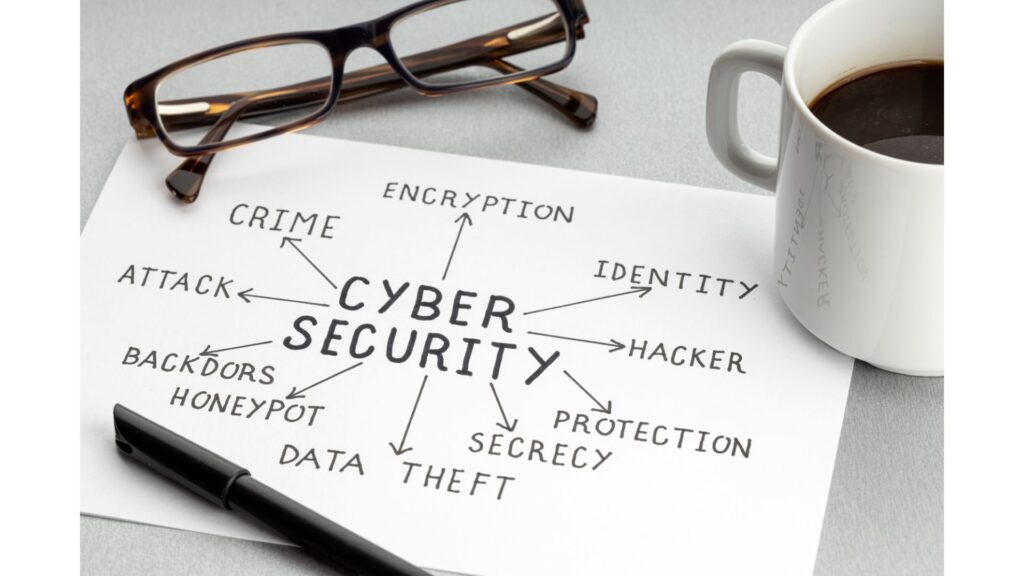
April 8th 2024 By Matthew Phillips Is this the most dangerous phishing scam yet? Picture this: You’re going about your day, checking your emails, when suddenly you see a message from a company you trust. You think, “Great! That’s safe to read”. But hold on just one minute… this email is not what it seems. It’s part of yet another scam created by cyber criminals to trick you into clicking malicious links or giving up sensitive info. It’s called “SubdoMailing,” and it’s as dangerous as it sounds. What’s the deal? Just like regular phishing attacks, cyber criminals pretend to be trusted brands. But here’s how it works: These cyber criminals scour the internet for subdomains of reputable companies. You know those extra bits in a web address that come before the main domain? Such as experience.trustedbrand.com. That ‘experience’ bit is the subdomain. They find a subdomain that the brand is no longer using and is still pointing to an external domain that’s no longer registered. Then they buy the domain and set up the scam website. So, you believe you’re clicking on experience.trustedbrand.com… but you have no idea it automatically redirects to scamwebsite.com. https://player.vimeo.com/video/925100727? The criminals are sending out five million emails a day targeting people in businesses just like yours. And because these emails are coming from what seems like a legit source, they often sail right past usual security checks and land in your inbox. Here’s our advice to keep you and your data safe and sound: Be wary of any emails that seem even remotely suspicious. If something looks fishy, it probably is. Before clicking on any links or downloading any attachments, take a moment to verify the sender. Look for red flags like spelling mistakes or unusual email addresses. Make sure your employees understand the latest phishing tactics and know how to spot a scam. A little knowledge goes a long way in keeping your company safe. Consider investing in top-notch security software to keep the cyber criminals at bay. It might seem like an extra expense, but trust us, it’s worth it.   As always, if you need help with this or any other aspect of your email security, get in touch. Published with permission from Your Tech Updates.

Uncategorised

Cyber-attacks: Stronger, faster and more sophisticated
March 25th 2024 By Matthew Phillips Cyber-attacks: Stronger, faster and more sophisticated A new security report has revealed some alarming trends. First off, cyber-attacks are becoming faster than ever. Breakout times (that’s the time it takes for a criminal to move within your network after first getting in) have dropped significantly. We’re talking an average of just 62 minutes compared to 84 minutes last year. This is not good news. Not only are these attacks faster, but they’re also becoming more common. The report has identified a whopping 34 new cyber-criminal groups, bringing the total to over 230 groups tracked by the company. https://player.vimeo.com/video/922457618? And guess what? These cyber criminals aren’t sitting around twiddling their thumbs. They’re getting smarter and more sophisticated. The report highlights a new record breakout time of just two minutes and seven seconds. That’s barely enough time to grab a coffee, let alone mount a defence. But here’s the real kicker: The human factor is increasingly becoming the main entry point for these cyber-attacks. They will try to get your people to click a link in a phishing email, which will take them to a fake login page. Once your employee enters their real login details, they have inadvertently handed them over. Or they pretend to be someone your team trusts. This is called social engineering. So, what can you do to protect your business from these cyber threats? Educate your employees Make sure your team is aware of the latest cyber threats and how to spot them. Regular training sessions can go a long way in preventing costly mistakes. Implement strong password policies Encourage the use of complex random passwords generated and remembered by password managers. Use multi-factor authentication for an added layer of security (this is where you use a second device to confirm it’s really you logging in). Keep your systems updated Make sure all software and systems are up to date with the latest security patches. Cyber criminals often exploit known vulnerabilities, so staying current is key. Invest in cyber security software Consider investing in reputable cyber security software that can help detect and mitigate threats in real-time (we can help with this). Back-up your data Regularly back-up your data and store it in a secure location. In the event of a cyber-attack, having backups can help minimise downtime and data loss. When it comes to cyber security, it’s better to be safe than sorry. If we can help you to stay better prepared, get in touch. Published with permission from Your Tech Updates.

Uncategorised

Which ransomware payment option is best? (Hint: none)
February 26th 2024 By Matthew Phillips Which ransomware payment option is best? (Hint: none) Picture this: Your business gets hit by a ransomware attack, and your valuable data is locked away by cyber criminals demanding a huge ransom fee. You can’t afford to pay it. But there’s a twist – just like those “buy now, pay later” schemes, some ransomware gangs are offering victims payment extension options. Recent research reveals that ransomware groups are getting creative with their extortion strategies. One group is even offering victims various choices when it comes to their ransom demands. These “choices” include: Paying to delay the publication of their stolen data, with a standard fee of $10,000… or paying to have their stolen data deleted before it’s made public. The exact amounts charged are often negotiated with victims, adding a chilling dimension to the whole ordeal. To increase the pressure on victims, these ransomware groups have added some terrifying features to their web sites. These include countdown timers displaying how much time businesses have before their data is released, view counters, and even tags revealing the victim’s identity and description. https://player.vimeo.com/video/912315206 It’s all designed to make victims feel cornered and more likely to give in to the demands. You might be tempted to pay that ransom to protect your business data. Not so fast. Paying is always a bad idea and here’s why… Paying doesn’t guarantee that you’ll get your data back or that the cyber criminals won’t demand more money later. By paying, you’re essentially funding criminal activities, encouraging them to continue their attacks on others. Paying a ransom might even get you into legal trouble, as some governments have made it illegal to pay cyber criminals. So, what can you do to safeguard your business from falling victim to ransomware? Ensure you have regular, secure backups of your data. This way, you won’t be at the mercy of cyber criminals. Educate your staff about the risks of ransomware and train them to recognise phishing emails and suspicious links. Invest in robust cyber security software and keep it up to date. Keep your systems and software updated with the latest security patches. Segment your network to limit the spread of ransomware if one device gets infected. Develop a clear incident response plan, so you know exactly what to do if you’re ever hit by a ransomware attack.   Paying cyber criminals rarely makes things better, and we’re seeing businesses that do pay become targets time and time again. Instead, invest in the proactive measures above to help you stay secure. And if we can help you with that, get in touch. Published with permission from Your Tech Updates.

Uncategorised

Don’t think your business is a target? Think again

February 12th 2024 By Matthew Phillips Don’t think your business is a target? Think again You might think that cyber criminals are only interested in large companies or those with huge financial assets. After all, that’s where the big bucks are, right? Think again. Recent reports have shown that cyber criminals are casting their nets wide, targeting businesses of all sizes, from independent shops to global enterprises. And they’re doing it with the help of something called “botnets.” You may have heard about the rise of malicious botnets, and you’re probably wondering, “what on earth is a botnet, and why should I care?” Botnets are the secret weapons of cyber criminals. They’re armies of compromised devices, all under the control of a single, malicious puppeteer. These can be anything from your computer to your smart fridge. Yes, even your fridge can be turned into a cyber weapon. A new report observed “massive spikes” in the activity of these botnets, with over a million devices involved in malicious activities at one point. To put it into perspective, that’s a hundred times the usual levels of botnet activity. https://player.vimeo.com/video/907530131 Usually, there are around 10,000 devices doing naughty stuff each day, with 20,000 being the highest number researchers had seen. But in December 2023, things got crazy. The number shot up to 35,144, and two weeks later, it rose even further to 43,194. That’s a lot of compromised devices. And it didn’t stop there; the researchers saw the biggest spike yet, hitting a whopping 143,957 distinct devices being used at the same time. In fact, on the 5th and 6th of January there were spikes of more than a million devices! Why are they doing this? These botnets are being used to scan the internet, searching for weaknesses in websites, servers, and even email systems. Think of the internet as a fortress with many doors and windows. These cyber criminals are looking for unlocked doors and open windows to sneak in. They focus on specific “ports” that serve as entry points. What can you do to protect yourself from these cyber threats? It’s all about strengthening those doors and windows. Here are a few simple steps: Keep your software, operating systems, and applications up-to-date. Regular updates often fix vulnerabilities. Install a good firewall and reliable antivirus software to protect your devices. Educate your employees about cyber security best practices, such as avoiding suspicious links and emails. Enforce strong, unique passwords for all your accounts and devices. Regularly back up your data to prevent loss in case of a cyber attack. Keep an eye on your network for any unusual activity. Consider hiring a cyber security expert (that’s us) to assess and enhance your security measures.   If we can help you keep your business better protected, get in touch. Published with permission from Your Tech Updates.

Scroll to Top