Redtree IT

Microsoft Teams

Uncategorised

PING, WHOOSH, or BEEP? Now you can decide with Teams

July 29th 2024 By Matthew Phillips PING, WHOOSH, or BEEP? Now you can decide with Teams If you’ve ever found yourself wincing at the sound of a Microsoft Teams notification breaking your concentration, you’re not alone. Here’s some news that might be music to your ears then: Microsoft has just rolled out an update that promises to make these interruptions much more manageable. With the latest update, you can customise your notification sounds on Teams. We believe that will make it easier to stay focused and prioritise your work. Instead of the generic “ping” that jolts you out of your workflow, you could opt for a more soothing chime or even a subtle whoosh. This might seem like a small change, but it can make a big impact on how you manage your day. Being able to differentiate between urgent alerts and less critical messages through sound can help you prioritise effectively and reduce unnecessary distractions. For business owners like you, this update is more than just a new feature – it’s a tool to enhance productivity and team efficiency. By allowing your team to customise their notification sounds, you make it easy for them to tailor their work environment to their personal needs. For instance, urgent messages from key contacts can be assigned a distinct sound that grabs attention immediately, while routine notifications can have a softer, less intrusive tone. This kind of prioritisation is essential in a busy work environment where managing time and focus is vital. It can help prevent important messages from getting lost in the noise of everyday communications and ensure that team members can respond promptly to those pressing issues without being constantly disrupted. The business benefits of this update are clear. First, it helps create a more focused and efficient work environment. When employees aren’t constantly interrupted by generic notification sounds, they can maintain their concentration for longer periods, leading to higher productivity levels. And by enabling the muting of notifications during meetings or focused work sessions, the update makes sure that important discussions and deep work sessions go uninterrupted. This feature is particularly handy in today’s hybrid work environment, where distractions can come from multiple channels. While the customisable notification sounds are a standout feature, Microsoft Teams offers a huge range of other benefits that make it an invaluable tool for business. It integrates smoothly with other 365 applications, providing a unified platform for all your business needs. https://player.vimeo.com/video/983180299? Whether it’s collaborating on documents, scheduling meetings, or managing projects, Teams brings everything together in one place. Teams has a robust set of tools that make teamwork easier and more efficient. If you’re not already using Teams, where have you been? Give it a try and see how it can help you streamline your workflows and communication. We can help you customise Microsoft Teams to be perfect for your business. Get in touch. Published with permission from Your Tech Updates.

Uncategorised

Say goodbye to video call pop-ups (and Teams meeting blushes)

May 27th 2024 By Matthew Phillips Say goodbye to video call pop-ups (and Teams meeting blushes) Picture this: You’re on an important video call with a client, confidently presenting your latest project updates. Suddenly, a notification pops up on your screen from your significant other, reminding you (not so discreetly) about the damage your child did during their temper tantrum this morning. Or worse, a message from your gym reminding you of your long absence. Embarrassing, right? We all know the struggle of trying to maintain professionalism during video calls while secretly battling the fear of embarrassing pop-ups stealing the show. But Microsoft is on it. They’re reportedly working on a much-needed feature that could save us all from these cringeworthy moments. Imagine being able to hide specific apps entirely while you’re on a Teams call. No more worrying about intrusive notifications stealing your thunder. This means you can say goodbye to awkward interruptions from messaging apps, or reminders that you’d rather keep private. How does it work? According to reports, Microsoft’s new feature won’t just minimise apps to the taskbar like the current workaround. Instead, it’ll completely hide them from sight, sparing you from any unexpected surprises (and blushes). And the best part? It’s not just about saving face. This feature could also help boost your device’s performance. By keeping those apps in the background, you free up valuable computing power and resources. https://player.vimeo.com/video/947423130 If you’ve ever found yourself frantically closing apps and browser windows to ensure a smooth video stream, this could be the end of that struggle. With the new feature, you can focus on what truly matters during your calls without worrying about technical hiccups or embarrassing distractions. While we’re excited about the potential of this new feature, we’ll have to wait and see if it becomes a reality. We’ll be keeping a close eye on the official Microsoft 365 roadmap for any updates and will keep you informed. In the meantime, if we can help make your business’s video calls run more smoothly, get in touch. Published with permission from Your Tech Updates.

Uncategorised

Copilot is bringing another productivity boost to Teams
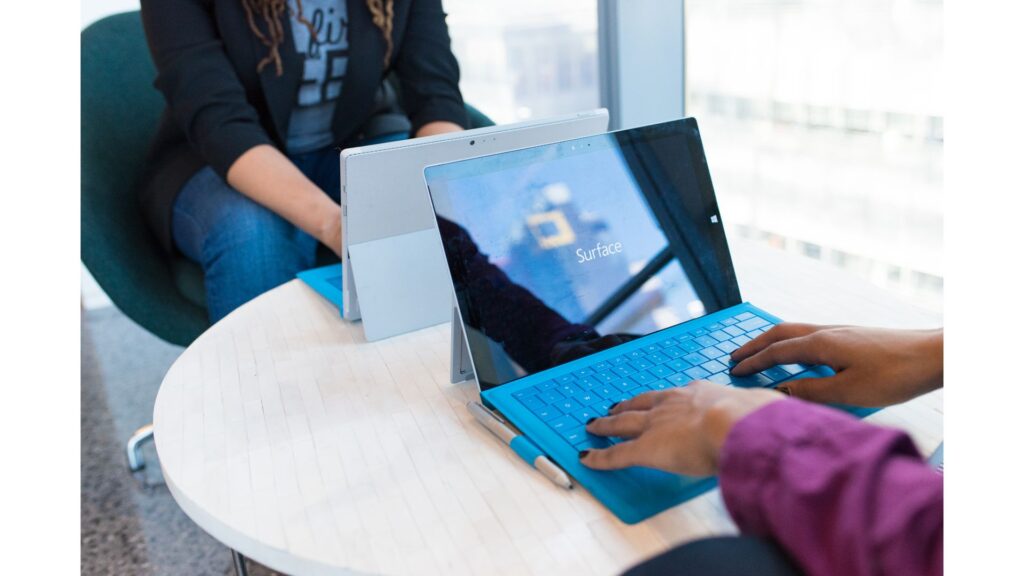
May 2nd 2024 By Matthew Phillips Copilot is bringing another productivity boost to Teams If you’re all about doing everything you can to help your team max their productivity (who wouldn’t want that, right?), then you’re going to love what Microsoft Teams has in store for us with its latest Copilot upgrades. Imagine, you’re mid-Teams meeting, brainstorming like there’s no tomorrow. Ideas are flying all over the place! Even the quickest note-taker among you isn’t going to remember it all. Never mind. Copilot’s got it. It can transcribe your conversation and understand your live chat, then summarise the most valuable insights. It doesn’t stop there. Ever wish you could hit “undo” on a chat message and reword your response? Copilot can help with that too. In fact, it can come up with a fresh message suggestion right there in the chat. That could save you lots of time – and brain power. https://player.vimeo.com/video/936636272 Copilot’s call recap tool can help with normal phone calls too. Teams Premium subscribers will benefit from handy recaps. It’s like having that personal assistant you always wished for (but you still have to make your own coffee). Microsoft’s also made IntelliFrame the default setting for video calls. What’s that, you ask? It uses AI to identify the individual video feeds of all participants so that everyone gets their moment in the spotlight during Teams Rooms calls. It also means no more awkwardly cropped faces or disappearing attendees. Smoother team collaboration, more insightful meetings, and video calls that look like they’re straight out of Hollywood… who doesn’t want that?! If you’re not already maxing Teams in your business, we can help. Get in touch. Published with permission from Your Tech Updates.

Scroll to Top